


How to manage your blog
Once you have created your blog, you can manage your posts by following these steps.
If you have not yet posted in the blog you have created, you may not see this appear in the cancer blog section just yet.
You can find your blog in the following ways:
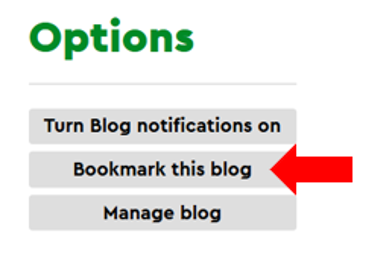
- Bookmark your blog. Once you are on your blog homepage, you can select the ‘Bookmark this blog’ button. The button will be under the ‘options’ section on your blog page.
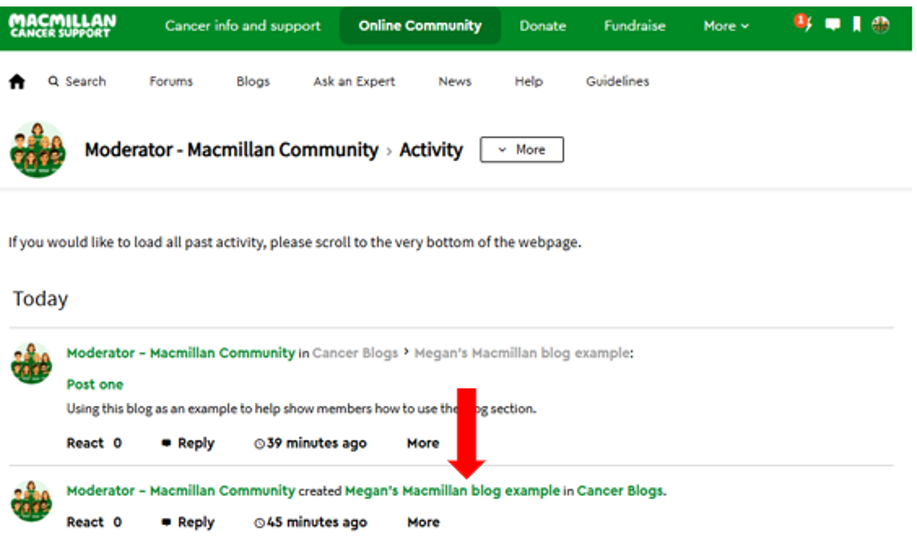
- Go to your recent profile activity and look for your blog link on the day you created it. You will be able to click on the title of your blog to visit your blog page.
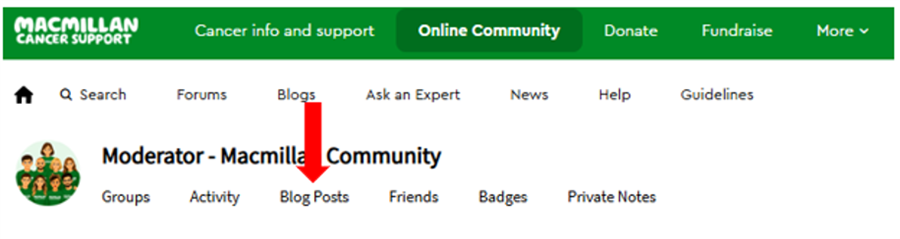
- Visit the blog posts section of your profile. This will only work if you have already posted in your blog.
Managing your blog posts
It’s ok if you have started a blog post but are not yet ready to post it. To find your unpublished blog post draft, you can follow these steps:
- Go to your blog’s landing page by following the above steps.
- Click manage blog under options.
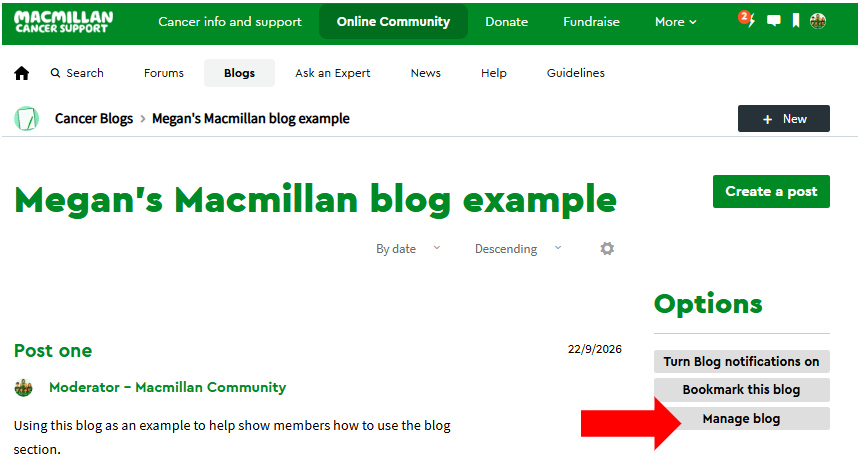
- Then click ‘Manage blog’ and then the ‘posts’ option.
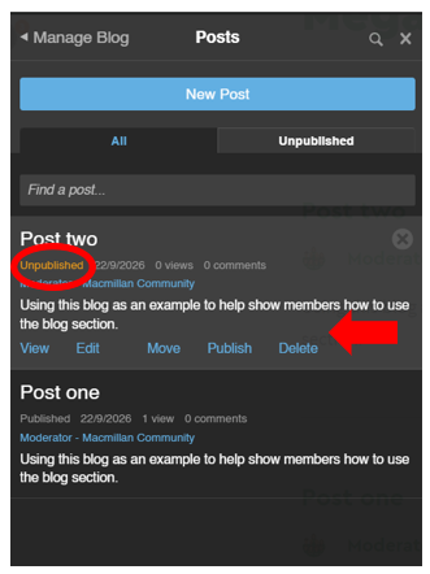
- Then a list of published and unpublished blogs will appear. You will see an orange ‘unpublished’ message next to the post that has not been posted on your blog. If you click near the blog post title, options to view, edit, publish and delete will appear.
How to video:
https://community.macmillan.org.uk/cfs-file/__key/articles/5b5a6b2fd93f4cb1ae9b709f27f5ccf2-a-9b5c281f5bec43c0883e992221af1ed3/1401.how-to-manage-blog.mp4